
Last updated on
Oct 2, 2026
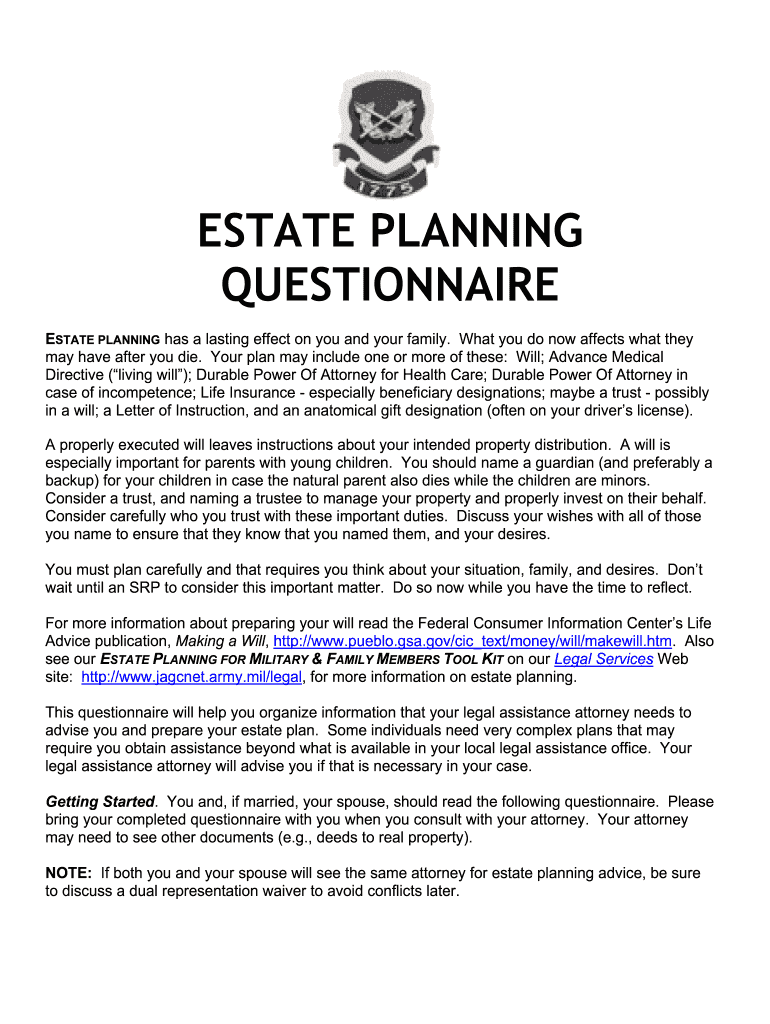
Fort Carson Estate Planning Questionnaire free printable template
pdfFiller is not affiliated with any government organization

Fill out
Complete the form online in a simple drag-and-drop editor.

eSign
Add your legally binding signature or send the form for signing.

Share
Share the form via a link, letting anyone fill it out from any device.

Export
Download, print, email, or move the form to your cloud storage.
Why pdfFiller is the best tool for your documents and forms


End-to-end document management
From editing and signing to collaboration and tracking, pdfFiller has everything you need to get your documents done quickly and efficiently.
Accessible from anywhere
pdfFiller is fully cloud-based. This means you can edit, sign, and share documents from anywhere using your computer, smartphone, or tablet.
Secure and compliant
pdfFiller lets you securely manage documents following global laws like ESIGN, CCPA, and GDPR. It's also HIPAA and SOC 2 compliant.
What is Fort Carson Estate Planning Questionnaire
The Estate Planning Questionnaire is a legal document used by individuals to organize information required by an attorney to create an estate plan.
pdfFiller scores top ratings on review platforms




Who needs Fort Carson Estate Planning Questionnaire?
Explore how professionals across industries use pdfFiller.

Fort Carson Estate Planning Questionnaire is needed by:
-
Individuals planning their estate
-
Parents wanting to establish guardianship
-
Married couples organizing joint assets
-
Property owners assessing estate value
-
Individuals preparing legal directives and wills
Comprehensive Guide to Fort Carson Estate Planning Questionnaire
What is the Estate Planning Questionnaire?
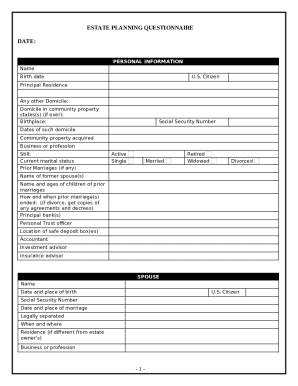
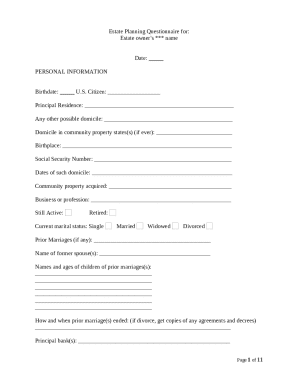
The Estate Planning Questionnaire serves as a crucial tool in organizing vital information needed for legal assistance in estate planning. This form helps compile personal information, including marital status and details about children, which are essential for creating effective estate documents such as wills.
By providing a comprehensive overview, the questionnaire facilitates the preparation of legal documents that reflect an individual's wishes and needs. Key components include personal information, marital status checkboxes, and sections focused on specific bequests and estate value.
Purpose and Benefits of the Estate Planning Questionnaire
The questionnaire offers numerous advantages to individuals as they navigate the complexities of estate planning. It aids in organizing critical information, streamlining the process for users and attorneys alike.
One of the key benefits is enhanced communication, enabling better discussions and preparations with legal professionals. Additionally, using this questionnaire can save time and alleviate stress during estate planning consultations.
Key Features of the Estate Planning Questionnaire
-
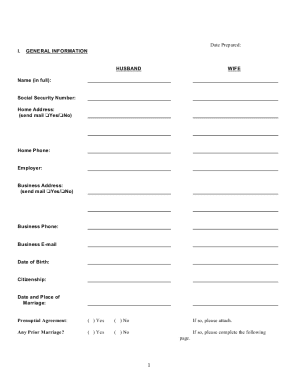
Fillable fields for easy data entry, such as full name and Social Security Number.
-
Dedicated sections for estate value, real estate details, and specific bequests.
-
Instructions guiding users on how to complete the form and prepare for consultations.
Who Needs the Estate Planning Questionnaire?
This form is essential for various individuals, particularly those planning their estates. This includes parents with children, couples in partnerships, and anyone with significant assets that require clear directives.
Moreover, it is beneficial for individuals seeking guidance on aspects like wills and powers of attorney, ensuring they cover all necessary areas in their estate plans.
How to Fill Out the Estate Planning Questionnaire Online (Step-by-Step)
-
Access the questionnaire through pdfFiller’s platform.
-
Enter your details in the designated fields, including children’s information and real estate data.
-
Review the information to ensure accuracy before submission.
Common Errors to Avoid When Completing the Estate Planning Questionnaire
Accurate completion of the questionnaire is vital to avoid potential pitfalls. One common mistake is omitting essential details, which can lead to complications in estate planning.
To ensure correctness, double-check all fields, particularly names and dates. If errors arise during consultations, having a strategy in place to address them with your attorney can save time and resources.
How to Submit the Estate Planning Questionnaire
Submitting the questionnaire can be done digitally or by printing and delivering it physically. Understanding which method to choose can depend on preference and convenience.
When submitting, ensure you include any required supporting documents, and take advantage of confirmation tracking to monitor the status of your submission.
Security and Compliance for the Estate Planning Questionnaire
When handling sensitive information, user security is paramount. pdfFiller employs robust measures like 256-bit encryption and adherence to privacy practices to protect personal data.
This commitment ensures that users can submit their questionnaires with confidence, knowing that their information remains confidential and secure throughout the process.
Getting Started with pdfFiller for Your Estate Planning Questionnaire
To simplify the estate planning process, pdfFiller offers a powerful cloud-based platform for completing the questionnaire efficiently. Features include easy form filling, editing, and eSigning, making document management straightforward.
By utilizing these tools, users can easily manage their legal documents and start filling out the Estate Planning Questionnaire today.
How to fill out the Fort Carson Estate Planning Questionnaire
-
1.Start by visiting pdfFiller and search for 'Estate Planning Questionnaire' in the document search bar.
-
2.Once you locate the form, click on it to open the editing interface. Ensure you have a stable internet connection.
-
3.Before filling out the form, gather necessary information such as personal details, marital status, children’s information, estate value, and any specific bequests.
-
4.Begin filling in your Client’s Full Name and SSN in the designated fields.
-
5.Use the provided checkboxes to indicate your marital status and add relevant details regarding children and property.
-
6.Make use of the suggested fields for entering information about your personal effects and specific bequests.
-
7.If needed, refer to the instructions within the form for guidance. These may include notes such as, 'Please bring your completed questionnaire with you when you consult with your attorney.'
-
8.After completing all the fields, take a moment to review your entries for accuracy. Ensure that all required sections are filled.
-
9.Once satisfied, save your progress on pdfFiller to avoid data loss. You may also want to download a copy for your records.
-
10.Finally, choose to submit the form digitally if applicable, or prepare it for printing for a personal consultation with your estate attorney.

Who is eligible to use the Estate Planning Questionnaire?
Anyone looking to create an estate plan, including individuals, couples, and parents, can use the Estate Planning Questionnaire.
Are there deadlines for submitting the Estate Planning Questionnaire?
While there are no strict deadlines for submitting the questionnaire, it's recommended to complete it before your initial consultation with your attorney to ensure a productive meeting.
Can I submit the form online?
Yes, you can fill out and submit the Estate Planning Questionnaire online through pdfFiller. Ensure all fields are completed prior to submission.
What supporting documents do I need when completing the questionnaire?
Before filling out the questionnaire, gather documents related to your personal identification, property ownership, and any existing wills or estate plans.
What are some common mistakes to avoid while completing the form?
Common mistakes include leaving mandatory fields blank, providing outdated information, or not reviewing the completed form for errors before submission.
How long does it take to process the information from the questionnaire?
Processing times can vary depending on the attorney’s schedule, but typically, you can expect to receive guidance within a week after your consultation.
What if I have questions about certain sections of the questionnaire?
If you have questions while filling out the questionnaire, consider consulting with a legal professional or follow the instructions included within the form for clarity.
Related Content
Related Forms



Related Catalogs
Get the latest insights from our blog


If you believe that this page should be taken down, please follow our DMCA take down process
here
.
This form may include fields for payment information. Data entered in these fields is not covered by PCI DSS compliance.